Probe
Case-ready photo intelligence
Upload evidence photos, preserve originals, review metadata, and generate investigative-lead reports with visible observations, confidence, caveats, next steps, and PDF export.
AI-Assisted Evidence Review
Upload an evidence photo and run metadata-aware, AI-assisted review. The system returns evidence-first observations and investigative leads you can verify in context.
Case Vaults
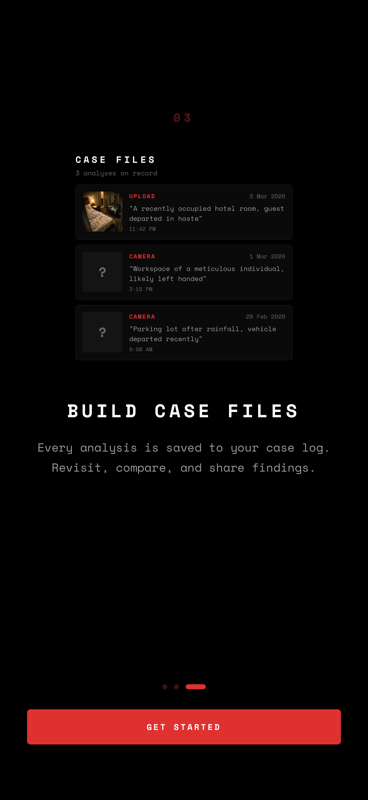
Every analysis is saved in a case vault so you can keep evidence history organized. Compare prior inferences, review annotated findings, and reopen reports by incident.
Annotated Overlays
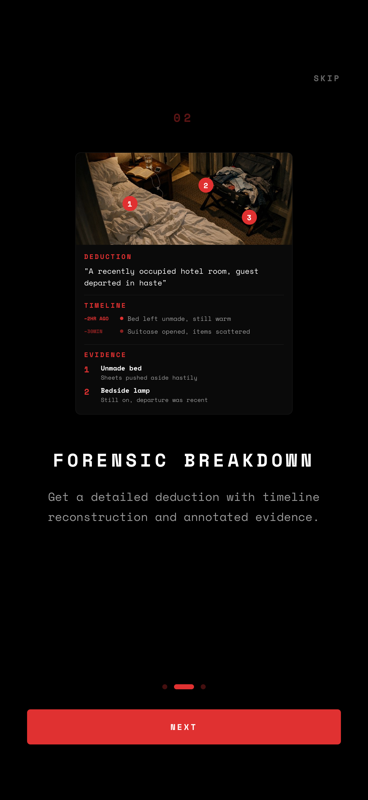
Key findings are marked directly on the image — numbered markers, spatial references, and highlighted objects mapped to the generated evidence observations.
Daily Image Allowance
You start with 3 free image analyses per day across mobile and web. Each selected image counts once; report generation is included afterward.
Metadata Review
Review available EXIF and file context alongside the image analysis, with clear caveats when metadata is missing, stripped, or incomplete.
PDF Report Export
Turn reviewed observations, markers, metadata notes, confidence, and limitations into a shareable case-file PDF for downstream documentation.
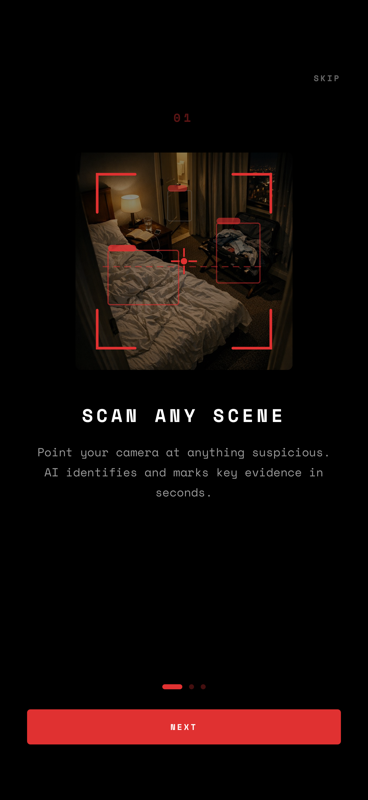
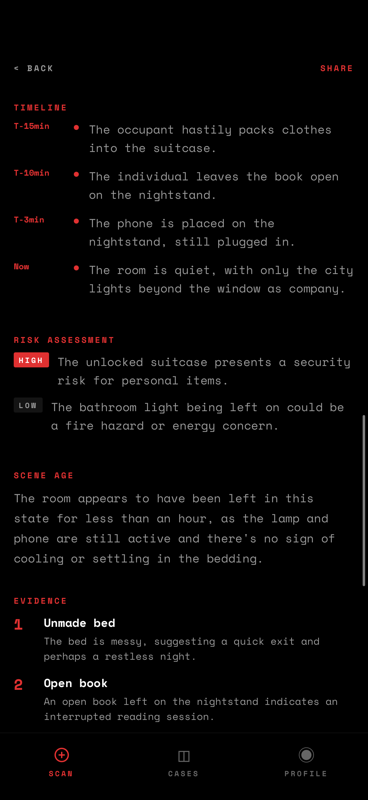
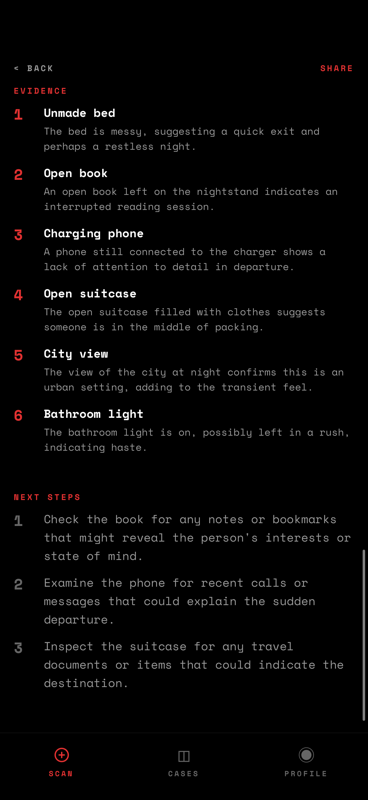
Capture
Upload evidence photos from a room, street, incident, or historical record. Any environment with visual detail can become structured review material.
Analyze
AI vision examines objects, people, spatial layout, lighting, and context. It then generates evidence-first observations and investigative leads with confidence scores for each deduction.
Review
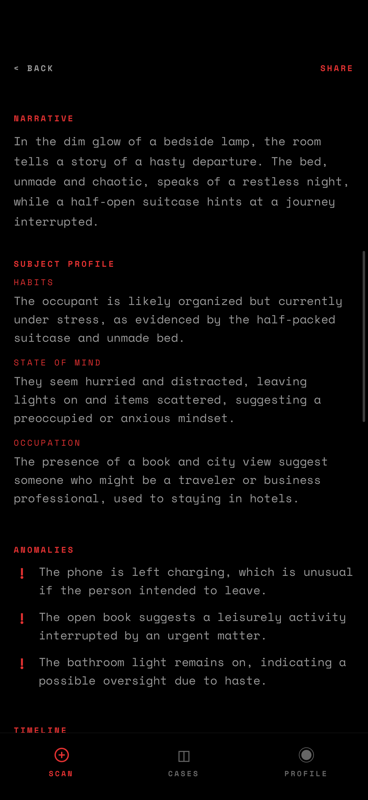
Receive a complete case file: narrative, individual observations, confidence scores, projected timeline, annotated photo overlays, and export-ready reporting.
Field Manual
Open the Guide library for web-first workflows: capture method, confidence review, overlays, privacy, and report interpretation.
Scene Reconstruction
Learn how Probe turns a single image into objects, timing clues, deductions, and a case-style narrative.
Capture Better Evidence
Use wider context, cleaner angles, and sharper detail so scene analysis has better evidence to work with.
Confidence Scores
Read high, medium, and low confidence correctly, and know when a finding needs more evidence or manual review.
Annotated Overlays
See how Probe marks evidence directly on the image so each deduction can be reviewed against the original frame.
Probe Blog
Browse long-form guides on evidence capture quality, metadata review, and visual evidence reporting workflows.
Private Investigators
Use the web platform to convert evidence photos into documented visuals and investigative lead drafts for client workflows.
Insurance Investigations
Create structured, shareable claim photosets with timelines, metadata notes, and PDF export for case handling.
Legal Summaries
Build clear evidence narratives and caveat-rich summaries from photos for counsel and case files.
Marketplace Verification
Review listing photos, thumbnails, and metadata for inconsistencies before trust decisions or escalation.
Visual Evidence Reports
See the full web-first report workflow: upload, analyze, review caveats, keep history, and export a structured file.
Compare Photo Evidence
Use separate reports to compare scene conditions, object positions, and metadata notes across related photos.
Probe is a visual evidence reports platform. You upload an evidence photo and AI generates evidence-first observations and investigative leads with confidence and caveats.
Free users get 3 free image analyses per day across mobile and web. The allowance resets every day.
Probe stores results and a compressed thumbnail in your case vault. Originals and metadata may be retained for review. You can delete your account and associated case data from account settings.
Probe can analyze many photo-based scenes — a room, a street, an accident scene, a messy desk, or a historical photo. It works best with clear images that have visible objects, spatial context, and details to interpret.
Yes. We only collect your phone number for login. Originals, thumbnails, metadata, and report history may be stored in case vaults for review. All communication uses HTTPS. You can delete your account and associated case data from account settings.
Analysis requires a clear photo with visible details. Try again with better lighting or a different angle. If the problem persists, check your internet connection.
06 // DEPLOY
Every scene tells a story.
Upload evidence photos on the web platform, run a metadata-aware review, and export a case-ready visual evidence report for downstream work.